INSIGHT
The user problem
Construction teams relied on WhatsApp, spreadsheets and manual reporting, creating visibility and coordination challenges. Site engineers needed fast reporting and issue escalation without returning to a desktop.
Product design case study · FieldOps (Macmet)
A mobile-first operations platform for reporting, tasks, workforce coordination and issue tracking in fast-moving field environments.
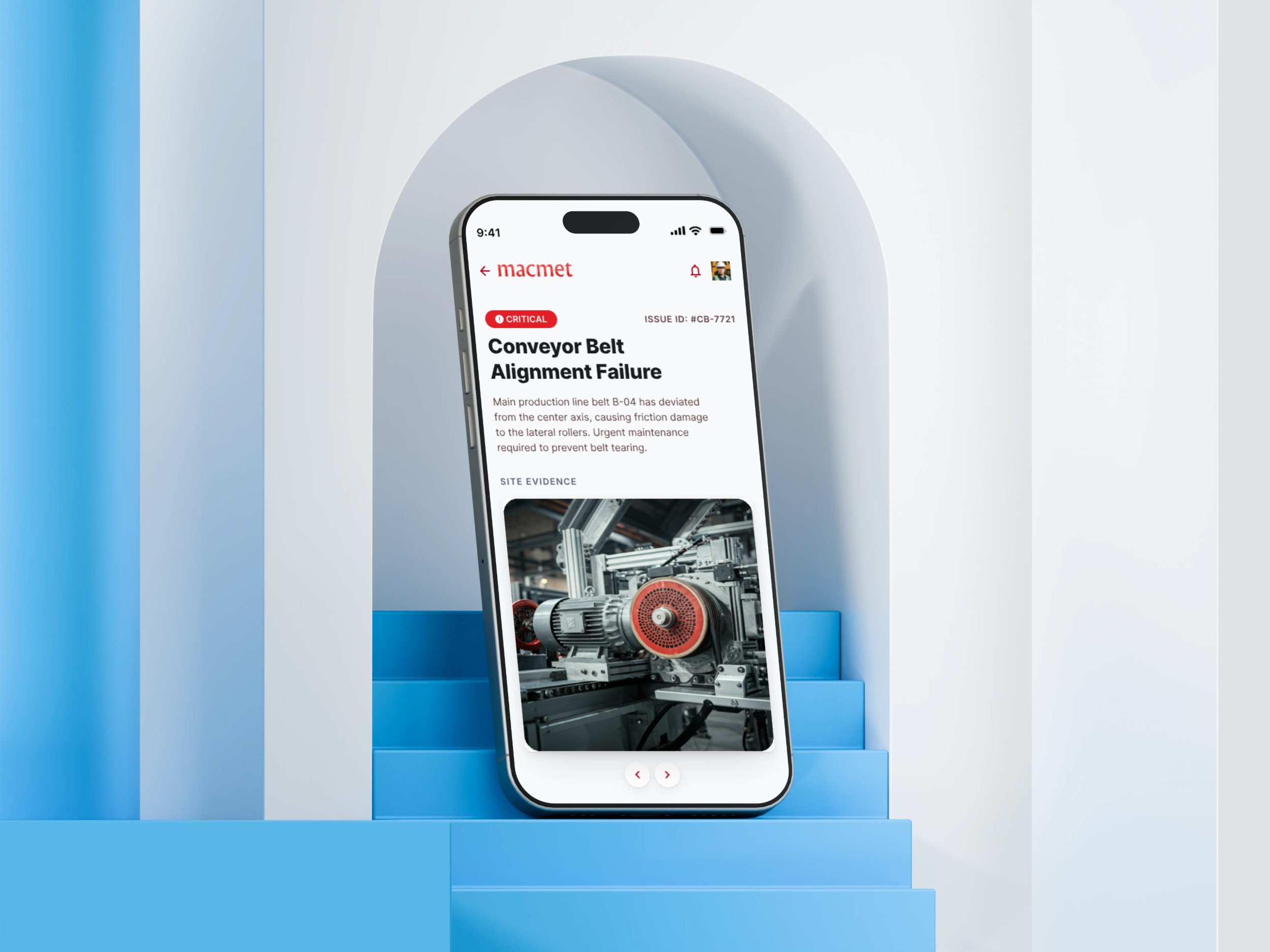
Field teams did not need more features. They needed less time lost to coordination.
INSIGHT
Construction teams relied on WhatsApp, spreadsheets and manual reporting, creating visibility and coordination challenges. Site engineers needed fast reporting and issue escalation without returning to a desktop.
INSIGHT
Managers needed real-time operational visibility across projects while field teams needed speed, simplicity and resilience in rough, sometimes disconnected environments.
Field software has to work under real-world constraints.
Updates were spread across calls, WhatsApp and spreadsheets.
Long forms and complex workflows reduced adoption.
Requests could lose context between field and office.
Managers lacked a reliable current view of crew status, skills and availability.
Problems could be raised without consistent priority, context or ownership.
Operational decisions lacked a single source of truth.
The field context became the primary design constraint.
Site engineers prioritize quick execution over detailed documentation.
Long forms and complex workflows significantly reduce user adoption.
Field users spend most of their time on-site without desktop access.
Managers require real-time operational insights for decision-making.
PERSONA
Needs fast reporting and quick issue escalation to keep projects moving. Works entirely on-site with sporadic connectivity.
PERSONA
Coordinates daily tasks and workforce allocation. Requires real-time visibility into crew status and material availability.
PERSONA
Oversees multiple projects simultaneously and needs cross-project visibility and analytics for strategic decisions.
| Product | Strength | Gap |
|---|---|---|
| Procore | Comprehensive feature set | Complex UX, steep learning curve |
| Fieldwire | Strong task management | Limited reporting capabilities |
| Buildertrend | Good coordination tools | Desktop-heavy, poor mobile experience |
| FieldOps | Mobile-first simplicity with powerful reporting | Designed around field-first use |
BEFORE FIELDOPS
Calls → WhatsApp → Excel → Follow-up → Delays → Lost context → Missed updates
Average 2–3 hours per day spent on communication and reporting.
AFTER FIELDOPS
Task → App → Update → Visibility → Faster Decisions → Data-driven insights
Average 30 minutes per day on critical operations and reporting.
Five core workflows became the foundation for V1.
Capture a report with photos and short notes.
Escalate a problem with priority and context.
Create and track a material request.
Update and complete work with minimal steps.
Give managers a live view of operational status.
The Macmet Figma shows how field operations can be translated into a mobile-first product experience, with evidence, issue context and industrial workflows kept close to the user's action.
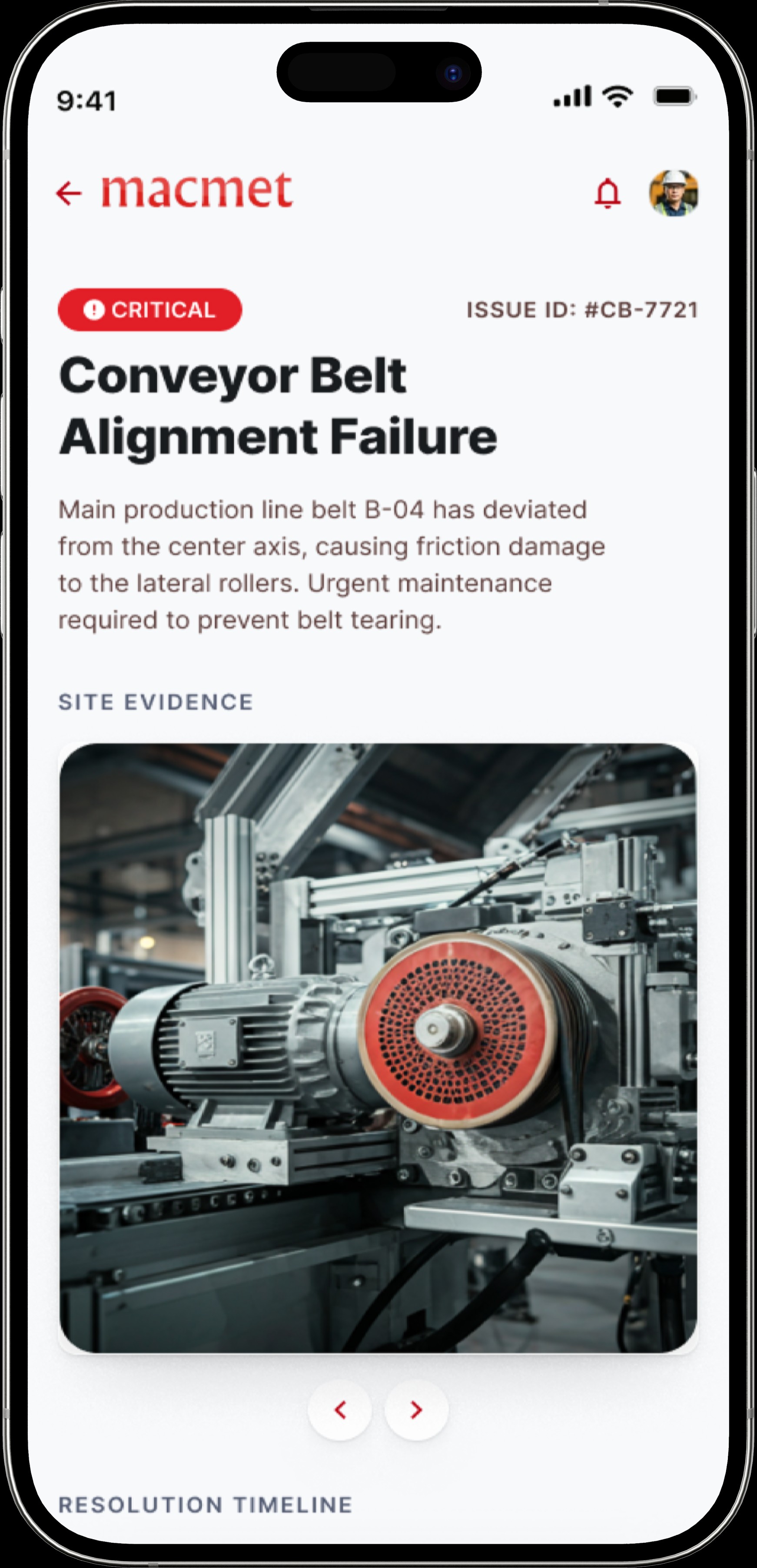
Success was defined around speed, accuracy, visibility and adoption.
GOALS
Improve reporting accuracy and speed by 80%; increase operational visibility across all projects; reduce coordination delays and bottlenecks; enable data-driven decision making.
METRICS
Report Completion Rate target: 95%+; Issue Resolution Time target: 30 min average; Weekly Active Users target: 85%+; Feature Adoption Rate target: 90%+.
V1 focuses on the highest-frequency operational workflows before enterprise feature overload.
Must Have
Must Have
Must Have
Must Have
Should Have
PRODUCT STRATEGY
Focus V1 on the highest-frequency operational workflows while deliberately avoiding enterprise feature overload. Design for field-first users who value speed over features. Build a foundation that scales horizontally before adding vertical complexity.
The product choices were shaped by the environment in which the work would actually happen.
Chose lightweight reporting with photo capture and short-form notes. Users need data fast; detailed narratives happen in manual follow-ups, not during field work.
Chose five core workflows for V1. Simpler apps have higher adoption. Advanced features can be added after user behavior is established.
Chose the mobile app as the primary interface. Field teams need the app; desktop can follow. One-handed usage on a jobsite is the north star.
Field engineers spend 80% of their time on-site without desk access.
Notifications and shortcuts for critical workflows.
Designed for rough construction site conditions.
Photo capture and voice notes replace forms.
Work continues even with spotty connectivity.
Updates flow back to managers instantly when connected.
The information model keeps the field user's most frequent actions close to the dashboard.
INFORMATION ARCHITECTURE
Dashboard · Tasks · Reports · Materials · Issues · Workforce · Alerts · Profile
Dashboard → Report → Photos → Submit
Dashboard → Issue → Priority → Submit
Dashboard → Request → Details → Approval
Dashboard → Task → Update → Complete
The early exploration focused on making each core action understandable with minimal cognitive load.
Quick access to key metrics and tasks.
Lightweight forms with photo capture.
Organize work by status and priority.
Escalation and resolution tracking.
The Figma screens are placed alongside the product narrative so the final interface reads as evidence of the strategy rather than decoration.
The final solution connects action, context and visibility.
Real-time overview of active tasks, pending approvals and critical alerts.
Fast photo-based reporting with context and timestamps.
Create, assign and track task completion with dependencies.
Request, track and approve material deliveries in real-time.
Escalate problems with context, priority and ownership.
View crew availability and skills across multiple sites.
The system is built around touch-first enterprise interaction.
Display: Poppins (800) for headlines. Body: Inter (400–600). Clear semantic sizing.
Deep navy #0f172a for trust; blue #1e40af for actions; cyan #06b6d4 for highlights; green and orange for system states.
Modular card system, input patterns, button variants and badge styles designed for touch-first interaction.
WCAG AA compliant, with high contrast, keyboard navigation, semantic HTML and clear focus indicators.
The case study frames these as expected outcomes rather than measured results.
Designing FieldOps reinforced the power of systems thinking in enterprise software.
Prioritization is not just about features; it is about understanding the user's context and constraints. The biggest insight: field teams do not want features, they want time back. Every workflow was designed around the fastest way to accomplish the jobsite task. The balance between operational visibility and workflow simplicity is delicate. Mobile-first design forced ruthless scope, which became a strength.
FUTURE OPPORTUNITIES
Offline Mode · Manager Dashboard · Smart Notifications · Client Portal